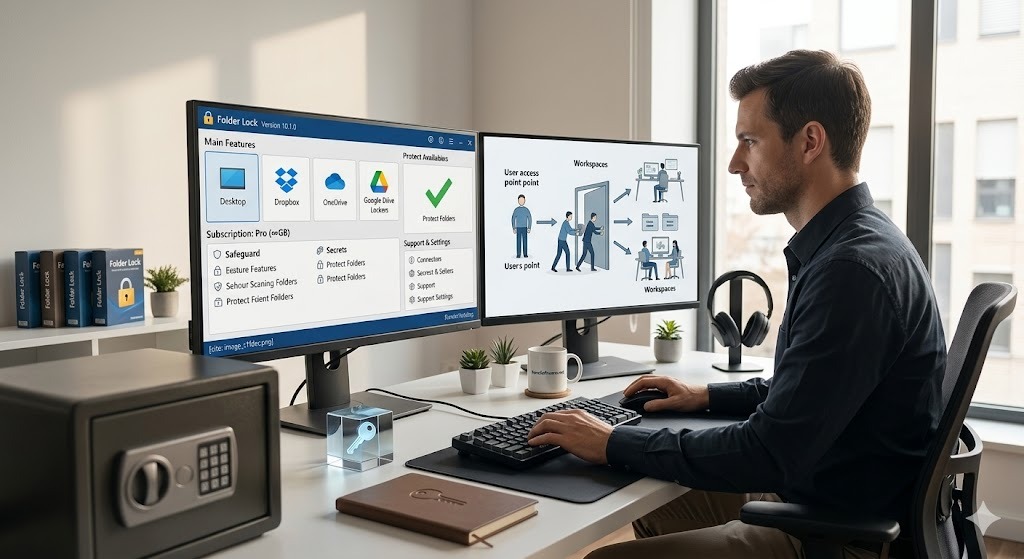
Delete Social Media Data and Strengthen Your Privacy

Deleting an account, removing an app, and destroying local files are three separate jobs. This walkthrough breaks down how to request platform-side deletion, remove device copies, and use a Windows file shredder when ordinary deletion is not enough.

By Data Wipe HQ Editorial | Updated Jul 2026 | 18 min read
Quick Answer

Start with the service that holds the account: use its own privacy controls to remove the profile, messages, or backups stored online. Then review copies saved to your computer, external drive, phone, or cloud folder. Folder Lock may help with local Windows files and its encrypted lockers, but it cannot erase data held on Facebook, Instagram, WhatsApp, Google, or Apple servers.

Reasons Deleted Files Are Not Really Gone

Digital tracks and history showing that standard deletion leaves recoverable data behind

When you delete an app like Facebook from your iPhone, or hit "Delete" on a folder containing WhatsApp backups on your PC, you might assume that data is gone forever. In reality, modern file systems are designed for speed, not security.

Standard operating systems (like Windows, macOS, Android, and iOS) do not destroy the actual data when you delete a file. Instead, they simply remove the "pointer" to the file and mark that space as available for future use. Until the operating system overwrites that selected physical space with new data, your old chat logs, downloaded photos, and search histories remain fully intact on the drive.

"Deactivating a social media account merely hides it from public view. Even a full 'Account Deletion' only applies to the company's servers—it does nothing to erase the cached data and downloaded media lingering on your personal devices."

This is why data recovery software can often pull up "permanently deleted files" from a formatted hard drive or an old smartphone. If you are selling a device, passing it to a family member, or simply securing your digital privacy against unauthorized snooping, standard deletion is a severe vulnerability.

When Do You Need This?

various situations require various deletion standards. Find your scenario below.

Selling an Old Phone portable media considerations

📱 Selling an Old Phone

Before transferring a phone, remove cloud backups, sign out of accounts, and use the device maker’s reset process. A desktop shredder is not a substitute for a mobile factory reset.

Disposing of a PC or USB flash drive resting on surface

💻 Disposing of a PC

For a Windows hard drive or removable disk, deleting downloads and emptying the Recycle Bin may leave recoverable data. A file-shredding pass is useful when you only need to destroy selected local files.

Privacy from Snoops in an empty office shared environment

🔒 Privacy from Snoops

On a shared Windows computer, protection and deletion solve various problems. Lock or encrypt files you still need; shred only the copies you are ready to lose permanently.

App-Specific Data Deletion Guides

Digital and physical security approaches combined for application data
Platform 01

Delete Facebook Data

How do I delete data from Facebook? Facebook retains a massive dataset of your activity. To clear this, navigate to the Accounts Center in the app, select Personal details, and choose Account ownership and control. Here you can request a full account deletion.

How to delete Facebook data without deleting account: If you want to stay on the platform but wipe your history, go to your Activity Log. From here, you can bulk delete your search history, interactions, and viewed videos. Note that it may take up to 90 days for Facebook to clear this from their backup servers.

How to delete data from Facebook on iPhone: Offloading the app from iOS controls only removes the app size. To wipe the local documents, you must fully delete the app, or manually clear the cache from within the Facebook app controls (controls & Privacy > Browser > Clear Browsing Data).

Platform 02

Delete WhatsApp Data

How to delete WhatsApp messages permanently: Tapping "Delete for Everyone" removes it from the immediate chat UI, but local backups might still hold the message. To wipe it, you must also delete your local database backups (found in the Android file manager under Android > media > com.whatsapp) and your Google Drive/iCloud backup.

How to delete WhatsApp documents and data on iPhone: Go to iOS controls > General > iPhone Storage > WhatsApp. Unfortunately, Apple doesn't offer a straightforward "Clear Cache" button. You must delete the app entirely and reinstall it without restoring the backup to truly wipe the local payload.

How to delete media from WhatsApp locked chat: Locked chats are hidden, but the media often saves to your primary camera roll unless disabled. You must manually locate the media in your gallery and use a secure deletion tool to overwrite it—sending it to the "Recently Deleted" folder is not enough.

Platform 03

Delete Instagram Data

How to delete data in Instagram: Similar to Facebook, account deletion is handled via the Meta Accounts Center. To clear local app bloat and cached videos, Android users can go to controls > Apps > Instagram > Storage > Clear Data. iPhone users must uninstall and reinstall.

Secure Deletion and File Protection Solve Different Problems

Sheet of virtual paper representing secure deletion vs file protection

Account deletion removes information from a service only to the extent that the service processes the request. It does not automatically remove exports, attachments, browser downloads, sync folders, or backups already stored elsewhere.

Use protection for data you are keeping

Folder Lock 10 can place Windows files inside encrypted lockers, hide or block access to selected folders, keep encrypted copies in supported cloud locations, and synchronize protected content across linked devices. These controls reduce exposure while the files remain useful.

Use shredding for data you no longer need

The Windows edition includes a Shred Files tool for files, folders, and eligible drives. It can also process unused drive space so remnants from earlier ordinary deletions are less likely to be recovered. The product material describes four overwrite choices: a zero pass, random data, a three-pass DoD pattern, and a 35-pass Gutmann choice.

Important boundary: Shredding applies to storage you control. It does not cancel an account, retract a message from another person’s device, or delete a provider’s server copy. encrypt files instead of destroying them if you still need to access them securely.

Best Product Fit for This Guide: Folder Lock 10 on Windows

For downloaded account archives, desktop chat exports, browser downloads, and removable-drive copies, Folder Lock’s Windows edition is the relevant choice. Its Safeguard area combines file shredding with tools for locking folders, cleaning selected Windows traces, and creating portable encrypted storage.

Folder Lock 10 Promotional Poster recommending it for data protection
AES-256Locker encryption
4 choicesOverwrite approaches
3 cloudsDropbox, Drive, OneDrive
WindowsDocumented shred workflow

The research material lists a free plan and a $39.95 Pro price. Confirm the current license term and checkout total before buying.

Folder Lock, Folder Protect, and Folder Lock Lite Are Not the Same Product

Folder Lock 10 Key App Icon representing product versions

The names are similar, but the tools address various privacy tasks. Choosing the wrong one can leave a important gap, especially when your goal is permanent deletion instead of straightforward encryption access control.

Best match here

Folder Lock 10

Designed as a broader privacy suite. The Windows edition combines encrypted lockers, cloud-linked lockers, protected folders, secure sharing, portable lockers, file shredding, and Windows history cleanup.

Use it for: keeping files encrypted or permanently removing selected Windows data.

Access control

Folder Protect

A Windows utility for controlling how other users interact with files, folders, drives, programs, or selected file types. It can block opening, hide an item, stop edits, or prevent deletion.

Do not treat it as: an encryption or shredding replacement.

Reduced function set

Folder Lock Lite

A simpler Windows choice focused on locking and hiding folders. The supplied material identifies it as the cut-down edition and states that encryption is not included.

Use it for: basic privacy on a shared PC, not secure erasure.

Platform support at a glance

Platform What the supplied product material supports Fit for this deletion guide
Windows Encrypted desktop and cloud lockers, sync, sharing, protected folders, portable lockers, shredding, and history cleanup. Strong fit for local files
macOS 13+ Desktop and cloud lockers, AES-256 encryption, cross-device sync, secrets, and secure sharing. Protection and sync; no desktop shred claim used here
Android Private media and documents, encrypted notes and wallets, cloud backup, access-attempt monitoring, app locking, and a private browser. Useful for privacy, not server-side account deletion
iPhone and iPad Private media and documents, notes and wallets, cloud backup, access-attempt monitoring, Wi-Fi file transfer, and a private browser. Useful for privacy, not a replacement for iOS erase controls

What Folder Lock Adds Beyond a Basic Delete Command

The useful part of the product is not a single button. It separates permanent removal, ongoing privacy, portable storage, and cross-device access into various workflows.

Folder Lock screenshot demonstrating tools beyond straightforward deletion

Add files, folders, or an eligible drive to the shredding list, select an overwrite approach, review the queue, and start the irreversible process. A separate free-space choice addresses traces left by files that were deleted earlier through Windows.

Desktop lockers keep files encrypted on the computer. Cloud lockers are available for OneDrive, Dropbox, and Google Drive so protected files can use the storage and sync functions of those services without being left as ordinary readable copies.

Folder Lock 10 screenshot showing secure secrets notes and hiding files

The Protect Folders function can hide and deny access to selected Windows files, folders, and drives. This is faster than moving data into a locker, but it is access control instead of encrypted storage.

Clean History targets selected Windows activity records such as recent-access and Run history. It is a privacy-cleanup function, not a replacement for deleting the original document or removing an online account.

Match the Method to the Copy You Are Removing

Where the data exists Correct first action What that action cannot do Best use
Facebook or Instagram account Submit the deletion request through Meta’s account controls. It will not remove exports or media already downloaded to your devices. Removing the provider-side account and associated profile data.
WhatsApp account or cloud backup Use WhatsApp plus the relevant Google or Apple backup controls. It will not destroy desktop exports, saved attachments, or another person’s copy. Removing the account, chats, and backup copies you control online.
Windows file or folder Use Folder Lock’s Shred Files workflow when permanent removal is intended. It cannot reach a provider’s servers or a copy stored on another device. Destroying local exports, downloads, archives, and removable-drive copies.
Files you still need Move them into an encrypted locker or apply folder protection. Protection does not count as deletion. Keeping sensitive material available while reducing casual access.
Whole SSD before disposal Use the drive or computer maker’s full-device sanitize or cryptographic erase process. A file-level overwrite cannot reliably address every flash-memory block. Preparing an entire solid-state drive for sale, recycling, or transfer.

Which Deletion Method is Right For You?

What are you trying to delete?

Recommended: Provider Account Controls

Use the social platform’s own deletion flow. Afterward, inspect any downloaded archive, browser export, or synced folder since those local copies are separate.

Recommended: Folder Lock Shred Files on Windows

Use the Safeguard area to add the local files or folders, select an overwrite approach, and shred them. Choose this only after confirming that no needed copy is in the queue.

Recommended: Full-Drive Sanitization

For an SSD you are selling or recycling, follow the computer or drive manufacturer’s erase procedure. File-by-file shredding is better suited to selected local data, especially on hard drives.

Recommended: Mobile Account Cleanup and Device Reset

Remove cloud backups, sign out, delete the account where required, and use the phone maker’s factory-reset workflow. Folder Lock mobile can protect private content, but it is not a server-deletion tool.

Ways to Shred a Local Account Export with Folder Lock

This workflow is for Windows files you control, such as a downloaded Facebook archive, a WhatsApp export, a folder of saved Instagram media, or a copy stored on an external drive.

  1. Confirm the target: Open the folder once and ensure it contains the copy you intend to destroy. Do not proceed when it is the only copy of something you may need.
  2. Close files and lockers: Exit any program using the target. Mounted or open lockers should be closed before adding them to a shredding queue.
  3. Open the shredder: In Folder Lock, enter the Safeguard area and choose Shred Files.
  4. Add the item: Select a file, folder, or eligible drive. System drives and optical discs are not appropriate targets for this queue.
  5. Choose the overwrite approach: Use the approach that matches your risk and time requirements. More passes take longer and do not turn a file-level action into a whole-SSD sanitize operation.
  6. Review and start: Recheck every item, begin shredding, and allow the process to finish without interruption. The intended result is permanent loss of the selected data.
Already deleted the files normally? Use the product’s free-space wiping choice instead of expecting the Shred Files list to locate a file that no longer has a directory entry.

Hard Drives and SSDs Need Different Erasure Strategies

Drive Locked Technology explaining SSD vs HDD physical constraints

A magnetic hard drive writes data to stable physical locations, so a file shredder can overwrite the sectors assigned to a selected file. As a result, this makes file-level shredding and free-space wiping practical for local HDD cleanup.

Reasons SSDs are less predictable

Solid-state drives spread writes across flash cells to manage wear. The controller may redirect an overwrite instead of writing back to the original cell, so repeated file-level passes do not provide the same assurance as they do on a hard drive.

Use the right level of erase

For an individual SSD file, use the operating system’s normal deletion on an encrypted, modern system and manage backups carefully. For disposal of the entire SSD, use the manufacturer’s sanitize, secure-erase, or cryptographic-erase procedure. Do not present Folder Lock’s Windows shredder as a complete-drive SSD sanitization tool.

Product Limits and Common Mistakes

USB secure password dialog screenshot showing limits and security

I forgot a password. Can a recovery program open an encrypted locker?

Do not rely on general file-recovery software to bypass encryption. Use the account or password-recovery path provided by the product and contact the vendor when the registered details are unavailable. Avoid publishing or following “bypass” instructions that could damage the locker.

I used Shift + Delete. Should I shred the same file now?

Once Windows has removed the directory entry, the file may no longer be available to add by name. Stop writing new data if recovery is the goal. When destruction is the goal, use the free-space wiping function to address remnants from earlier deletions.

Can Folder Lock delete my Facebook, Instagram, or WhatsApp account?

No. It can protect or destroy copies stored in locations you control. Account removal, message deletion, and cloud-backup removal must be completed through the relevant service.

Is Folder Protect an alternative to the Folder Lock shredder?

No. Folder Protect is built around Windows access rules, including hidden, no-access, no-write, and no-delete modes. It works well for preventing changes to retained files, but the supplied material does not position it as an encryption or permanent-erasure product.

Folder Lock 10: Free and Pro Details from the Supplied Material

Use this comparison as a product-fit guide, not as a guarantee of the current checkout offer.

Free Plan

Enough to test the locker workflow and use the Windows privacy utilities shown in the comparison.

$0
  • Up to 1 GB in the locker
  • Sync on up to 2 devices
  • Mobile apps and Secrets access
  • Shred Files and Clean History included in the supplied Windows comparison

Pro Plan

Adds the capacity and collaboration functions missing from the free Windows plan.

$39.95
  • Unlimited locker size in the supplied comparison
  • Sync on up to 5 devices
  • Encrypted sharing for authorized users
  • Portable lockers and Protect Folders

The attached research shows a $39.95 Pro price but does not establish the current billing interval. Check the official checkout page for the license term, taxes, renewal rules, and any regional pricing.

What Was Added to the Recommendation

  • A clear separation between online account deletion and local file destruction.
  • A Windows-selected recommendation for the documented Shred Files workflow.
  • A distinction between encrypted lockers, folder access controls, and permanent deletion.
  • Platform notes for macOS, Android, iPhone, and iPad so mobile privacy functions are not mistaken for server erasure.
  • Free-versus-Pro limits based on the supplied comparison, with a checkout verification warning.

Common Questions and Answers

Can Folder Lock permanently delete a Facebook or Instagram account?
No. Only Meta can process deletion of data held in its account systems. Folder Lock is relevant after you download an archive or save media to Windows storage.
Does deleting WhatsApp remove every copy of a message?
No single action controls every location. Review the chat, local media, phone backup, Google Drive or iCloud backup, desktop exports, and any recipient copies separately.
Is Shred Files available in the free Windows plan?
The supplied Folder Lock 10 comparison marks Shred Files and Clean History as included in both Free and Pro. While several advanced storage and sharing functions are reserved for Pro, The free plan is limited to a 1 GB locker and two synced devices.
Which overwrite approaches are described for Folder Lock?
The supplied Windows instructions describe zeroes, random data, a three-pass DoD approach, and a 35-pass Gutmann approach. More passes increase processing time. They do not convert file-level shredding into a guaranteed whole-SSD sanitize operation.
How does Folder Protect differ from the Folder Lock suite?
Folder Lock is the broader suite with encrypted lockers and Windows shredding. Folder Protect applies Windows access rules such as hidden, blocked, read-only, or delete-resistant protection to programs, drives, folders, individual files, and extension-based masks.
Does Folder Lock Lite encrypt files?
No. The supplied material describes Lite as the reduced edition for locking folders and states that encryption is excluded.
Can I use the same Folder Lock functions on every platform?
No. The function mix changes by operating system. Android includes app locking, while iOS includes Wi-Fi transfer. The Windows edition is the version documented here for shredding, free-space wiping, portable lockers, and Windows history cleanup.
Should I use a file shredder on an SSD before selling it?
For disposal of the whole SSD, use the device or drive manufacturer’s sanitize or cryptographic-erase process. File-level overwrite tools are more predictable on magnetic hard drives and should not be presented as a full-drive SSD erase.